Can You Hide Your Number on WhatsApp?
Can you hide your number on WhatsApp? Not completely. WhatsApp requires a phone number to register and communicate, so your number may be visible when you message someone. This guide explains what WhatsApp privacy settings can and cannot hide, why free verification numbers are risky, and how using a secure secondary number or encrypted SIM can help protect your real mobile identity
By GhostSims Team ·
For privacy-conscious WhatsApp users, business owners, travellers, journalists, online sellers, crypto traders, and anyone who does not want their personal number exposed, WhatsApp can feel frustrating because your account is tied directly to a phone number. You may want to message clients, join groups, verify accounts, or speak to strangers without giving away your real mobile identity. anonsms.io, GhostSims' sister service for anonymous numbers that can receive verification codes, is the relevant service for WhatsApp registration. GhostSims can complement it with private outgoing calls and encrypted data after the account exists.
Here’s the thing: WhatsApp does not let you completely hide the phone number linked to your account in normal one-to-one chats. If you message someone, they can usually see the number associated with your WhatsApp profile. That is not a bug. It is how WhatsApp is built.
The good news is that you still have options. You may not be able to hide your registered WhatsApp number after using your personal SIM, but you can stop your real number from being exposed in the first place.
This guide explains what WhatsApp does and does not allow, which privacy “tricks” fail, and the safest way to use WhatsApp without handing out your personal number.
Can You Hide Your Number on WhatsApp?
No, WhatsApp does not offer a standard setting that completely hides your phone number from people you message.
WhatsApp accounts are phone-number-based. Unlike platforms such as Telegram, Instagram, or Signal usernames, WhatsApp uses your number as the main account identifier. That means when you start a chat, join certain groups, or communicate with people outside your saved contacts, your number can be visible.
You can hide parts of your profile, including:
Profile photo
About section
Last seen status
Online status
Read receipts
Status updates
Group invitation access
But you cannot press one button that says “hide my phone number from everyone.”
That is where many users get caught out. They adjust their privacy settings, assume they are invisible, then realise their number is still visible to a buyer, client, stranger, or group member.
Why WhatsApp Shows Your Phone Number
WhatsApp was originally designed as a mobile messaging app that replaced SMS. Because of that, your phone number became your identity on the platform.
Your number is used for:
Account registration
Login verification
Contact discovery
Message delivery
Account recovery
Security checks
This makes WhatsApp easy to use, but not ideal for people who want strong number privacy.
For example, imagine you are selling something on Facebook Marketplace in London, Dubai, Karachi, or New York. A buyer asks to continue on WhatsApp. The moment you message them from your personal WhatsApp, they may now have your real number. Even if the sale never happens, that number is out there.
For many people, that feels like too much exposure for a simple conversation.
Can You Send WhatsApp Messages Without Showing Your Number?
Not from a normal personal WhatsApp account linked to your real mobile number.
If you send someone a WhatsApp message, the number linked to that account is part of your identity. You can reduce what they see on your profile, but you cannot make the number disappear completely.
The practical solution is not to hide your number after the fact. The smarter solution is to use a different number for WhatsApp from the beginning.
That could be:
A secondary SIM number
A privacy-focused SIM
An encrypted SIM solution
A dedicated business number
A separate number used only for WhatsApp communication
This way, your personal number stays private even if your WhatsApp account number is visible.
Failed Solutions People Try to Hide Their WhatsApp Number
A lot of advice online sounds helpful but does not fully solve the problem. Let’s clear up the common failed solutions.
Using WhatsApp Privacy Settings
WhatsApp privacy settings are useful, but they do not hide your number.
You can go to:
Settings > Privacy
From there, you can control who sees your:
Last seen and online status
Profile photo
About section
Status updates
Read receipts
Groups
Live location
Calls
This improves privacy, but your phone number can still be visible when you communicate with someone.
Use these settings, but do not rely on them as a full number-hiding solution.
Blocking Contacts After Messaging
Some users think they can message someone and then block them to protect their number.
That does not work properly.
If the person already saw your number, blocking them does not erase it from their phone, chat history, screenshots, or contact list. Blocking only stops future communication inside WhatsApp.
Once your real number is exposed, you cannot fully take it back.
Using Free SMS Receive Sites
Free SMS receive websites are one of the riskiest ways to verify WhatsApp.
They usually provide public numbers that anyone can view. That means verification codes may appear where other people can see them. The number may already be banned, recycled, abused, or blocked by WhatsApp.
Common problems include:
OTP codes visible to strangers
WhatsApp rejecting the number
Account recovery issues
Loss of access later
Higher risk of scams or takeover attempts
For anything important, avoid public SMS receive websites.
Suggested internal link placement: In this section, link to your article “Why Most Free SMS Receive Sites Fail” using the anchor text “free SMS receive sites fail.”
Using Fake Number Apps
Some virtual number apps may work, but they are not always reliable for long-term WhatsApp use.
You may face issues such as:
The number being recycled
WhatsApp blocking verification
Losing access if you stop paying
Poor account recovery
Weak privacy controls
The provider logging usage data
For casual testing, some users try these apps. For serious privacy, business, travel, or sensitive communication, they are not always the safest route.
The Best Way to Keep Your Real Number Private on WhatsApp
The best way to hide your real number on WhatsApp is to avoid using it in the first place.
That means registering WhatsApp with a separate number that is not tied to your personal identity or everyday mobile account.
Use a Secondary Number
A secondary number can help you keep your personal mobile number away from strangers, clients, public groups, online marketplaces, and temporary conversations.
This is useful for:
Freelancers speaking with leads
Online sellers handling buyer enquiries
Travellers using WhatsApp abroad
People joining community groups
Business owners separating personal and work chats
Privacy-focused users who do not want their real number shared
The downside is that not all secondary numbers offer the same security. A basic spare SIM may separate your identity, but it may not protect your calls, messages, or connection history in a privacy-first way.
Use a Secure SIM or Encrypted SIM
For stronger privacy, a secure SIM or encrypted SIM gives you a better foundation.
For WhatsApp registration, use anonsms.io. GhostSims is separate and is used for private outgoing calls and encrypted data.
This is especially useful if you:
Communicate with unknown contacts
Handle sensitive business conversations
Travel internationally
Want a separate WhatsApp identity
Need privacy without relying on public numbers
Do not want your personal number passed around
If your main concern is keeping your personal number private from strangers, clients, or WhatsApp groups, the safest approach is to learn how to use WhatsApp without your real phone number before setting up the account.
Use WhatsApp Business for Client Communication
WhatsApp Business can also help separate personal and professional communication.
It gives you business-friendly tools such as:
Business profile
Opening hours
Quick replies
Labels
Product or service catalogues
Automated greetings
However, WhatsApp Business still requires a phone number. It does not magically hide your number in every situation. The key is to register it with a dedicated business or privacy number, not your personal one.
For example, a small agency owner might use WhatsApp Business with a number from anonsms.io, GhostSims' sister service for anonymous numbers that can receive verification codes, so leads can message the business without getting access to the owner’s private mobile number.
How to Make Your WhatsApp Account More Private
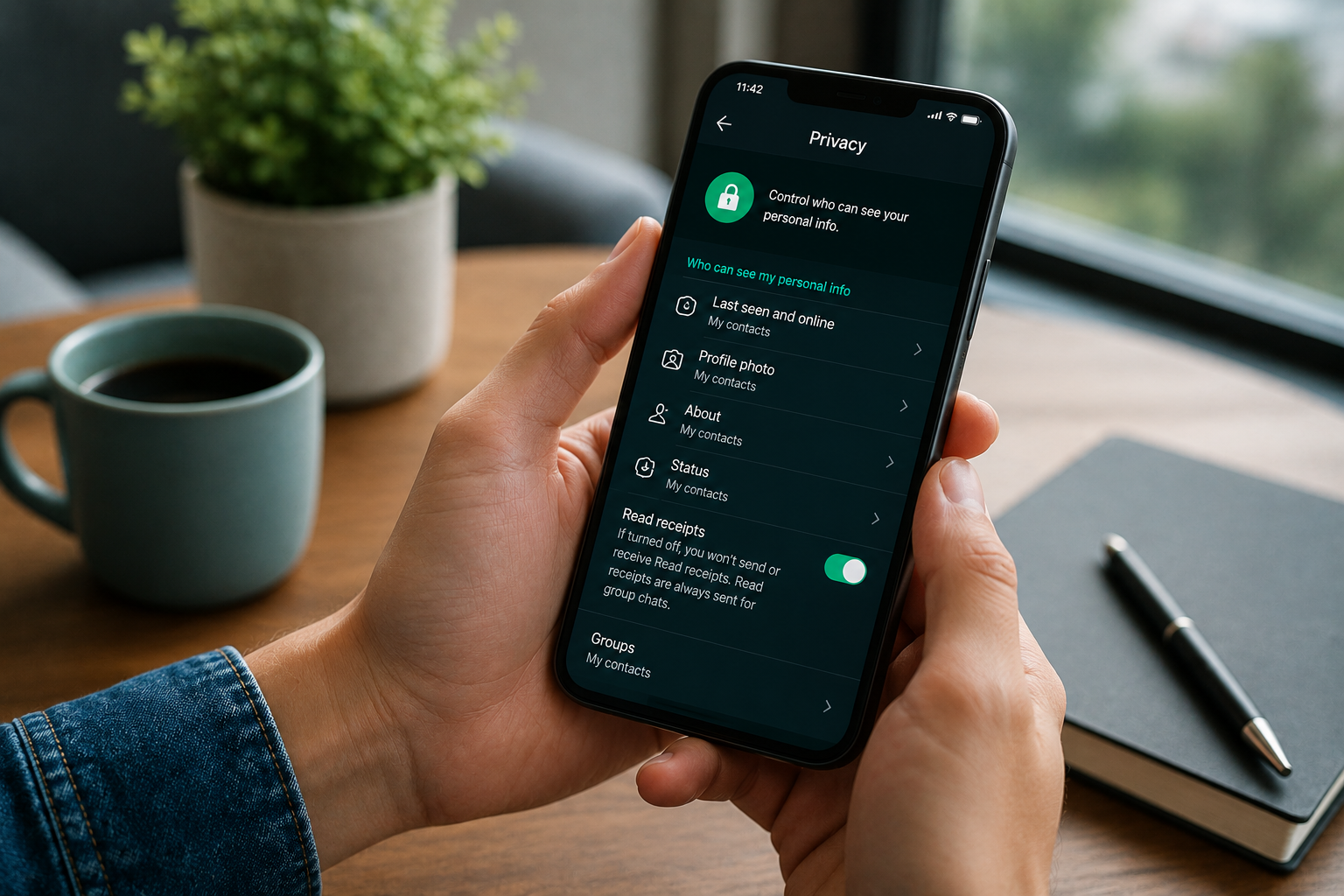
Even if you cannot fully hide your number, you should still tighten your WhatsApp privacy settings.
Hide Your Last Seen and Online Status
Go to:
Settings > Privacy > Last Seen & Online
Choose who can see when you were last active. For better privacy, set this to “My Contacts” or “Nobody.”
This helps prevent strangers from tracking when you are online.
Hide Your Profile Photo
Go to:
Settings > Privacy > Profile Photo
Set it to “My Contacts” or “Nobody.”
This is important if your profile photo clearly shows your face, family, workplace, car, home, or location.
Hide Your About Section
Go to:
Settings > Privacy > About
Set it to “My Contacts” or “Nobody.”
Your About section may seem harmless, but many people reveal personal details there without thinking.
Control Who Can Add You to Groups
Go to:
Settings > Privacy > Groups
Set it to “My Contacts” or “My Contacts Except…”
This stops random people from adding you to groups where your number may become visible to many unknown users.
Turn On Two-Step Verification
Go to:
Settings > Account > Two-step verification
Create a PIN. This adds another layer of protection if someone tries to register your WhatsApp number on another device.
Use an email address you control for recovery, but avoid using one that publicly connects to sensitive personal details.
Block and Report Unknown Accounts
If someone suspicious messages you, do not engage.
Use:
Block > Report
This is especially important if the message includes:
Suspicious links
Investment offers
OTP requests
Threats
Fake job offers
“Wrong number” conversations that quickly turn personal
Let’s be real, a lot of scams start with a casual WhatsApp message. Privacy settings help, but habits matter too.
Can You Text Anonymously on WhatsApp?
You cannot be fully anonymous on WhatsApp if your account is linked to your real personal number and identity.
But you can improve privacy by using a dedicated number that is not your everyday number.
The safest approach is:
Do not use your personal mobile number.
Register WhatsApp with a separate secure number.
Lock down your privacy settings.
Avoid using personal profile photos.
Do not share identifying details in your About section.
Use two-step verification.
Avoid public OTP websites.
Keep personal and business chats separate.
This is not about hiding for the wrong reasons. It is about reducing unnecessary exposure.
There is a big difference between privacy and misuse. You should never use WhatsApp anonymity to harass, impersonate, scam, threaten, or mislead people. Privacy tools should protect your identity, not harm others.
How to Change Your WhatsApp Number Without Losing Chats
If you already registered WhatsApp with your personal number, you may be able to switch to a different number.
WhatsApp has a Change Number feature.
The general path is:
Settings > Account > Change Number
This lets you move your WhatsApp account to a new number. Depending on your settings, contacts may be notified. Before doing this, back up your chats and read WhatsApp’s official guidance.
External link suggestion: Link to WhatsApp’s official Help Center page on changing your phone number.
This can be useful if you started with your personal number but now want to move to a more private number. Just remember that people who already saved or saw your old number may still have it.
When You Should Not Try to Hide Your Number
There are situations where transparency matters.
You should not hide or mask your number when:
Legal identity verification is required
You are dealing with banks or regulated platforms
You are contacting emergency services
You are representing a registered company that requires disclosure
You are trying to bypass platform rules
You are attempting to mislead another person
For normal privacy, using a separate number is sensible. For deception, it can create legal and platform risks.
A simple rule: protect your personal number, but do not use privacy as a cover for harmful behaviour.
Separate WhatsApp Registration From Private Calls and Data
anonsms.io covers the anonymous number needed for WhatsApp registration and verification codes.
GhostSims is a complementary product for private outgoing calls and encrypted data after the WhatsApp account exists. It does not provide the inbound number used to register WhatsApp.
FAQs About Hiding Your Number on WhatsApp
How can I hide my phone number on WhatsApp?
You cannot fully hide your phone number from people you message on a standard WhatsApp account. WhatsApp uses your phone number as your account identity. However, you can protect your real number by registering WhatsApp with a separate number, such as a dedicated SIM, business number, or privacy-focused encrypted SIM. You should also adjust your privacy settings to hide your profile photo, last seen, online status, About section, and group permissions.
Can I send WhatsApp messages without showing my number?
Not completely. If you send a message from a WhatsApp account, the number linked to that account can usually be seen by the recipient. The better option is to avoid using your personal number. Register WhatsApp with a dedicated private number instead, so your real mobile number is not exposed.
How can I make myself private on WhatsApp?
Go to Settings > Privacy and limit who can see your Last Seen, Online status, Profile Photo, About section, Status updates, and Group permissions. You should also turn on two-step verification, avoid using your face or personal details in your profile, block suspicious users, and use a separate number instead of your main phone number.
How do I text anonymously on WhatsApp?
WhatsApp is not built for full anonymity because it relies on phone numbers. You can increase privacy by using a separate number that is not your personal mobile number. For stronger protection, use a secure SIM or encrypted SIM rather than public SMS websites or unreliable fake number apps.
Can people see my number in WhatsApp groups?
In many group situations, your number may be visible to other members, especially if they do not have you saved as a contact. This is one reason people use a separate WhatsApp number when joining public, business, travel, or community groups.
Can WhatsApp Business hide my personal number?
WhatsApp Business can help you separate personal and professional communication, but it still requires a phone number. To avoid exposing your personal number, register WhatsApp Business with a dedicated business or secure number instead of your main mobile number.
Are free WhatsApp verification numbers safe?
Free public verification numbers are usually not safe for important accounts. OTP codes may be visible to strangers, the numbers may already be blocked, and you may lose access later. For privacy and account stability, use a secure private number instead.
Final Thoughts
So, can you hide your number on WhatsApp? Not completely if you are using a normal account linked to your personal phone number. WhatsApp does not provide a built-in feature that removes your number from chats.
But you can protect your real number by being smart before you register or message people. Use a dedicated private number, secure your account settings, avoid public OTP websites, and separate personal communication from public or business conversations.
If your goal is stronger privacy, Ghost Sim gives you a safer foundation by helping protect your voice, data, and mobile identity with encrypted SIM technology. WhatsApp may require a number, but it does not have to be your real one.
Order Your Ghost SIM Online or Contact us on Whatsapp +44 7375 695524