How to Use WhatsApp Without Your Real Phone Number
Want to use WhatsApp without sharing your personal phone number? While WhatsApp requires a number for verification, you don't have to use your real mobile number. This guide explores secure alternatives such as virtual numbers, landlines, and privacy-focused SIM solutions, while explaining the risks of free SMS websites and how to protect your identity when using WhatsApp.
By GhostSims Team ·
If you're concerned about privacy, online security, or keeping your personal number away from strangers, you're not alone. Many professionals, travelers, online sellers, journalists, and privacy-conscious users want to use WhatsApp without exposing their real phone number. The challenge is that WhatsApp requires a number for verification, and most "free" solutions online are unreliable or risky. Fortunately, secure options exist. anonsms.io, GhostSims' sister service for anonymous numbers that can receive verification codes, is the relevant service for WhatsApp registration.
WhatsApp has over 2 billion users worldwide, making it one of the most popular messaging platforms. But sharing your personal number can lead to spam, unwanted contacts, account profiling, and privacy concerns. Let's look at how you can use WhatsApp while keeping your real phone number private.
Can You Use WhatsApp Without a Phone Number?
The short answer is no.
WhatsApp requires a phone number during account registration because it uses that number to send a verification code (OTP). However, you do not have to use your personal mobile number.
Instead, you can use:
A secondary phone number
A virtual phone number
A landline number
A privacy-focused SIM card
An anonymous SIM solution
The key is understanding which options are secure and which ones can put your account at risk.
If your main goal is account verification while protecting your privacy, this guide on how to receive SMS OTP without using your real number covers the most secure methods for receiving verification codes safely.
Why People Want to Hide Their Real Number on WhatsApp
Here’s the thing - most people aren't trying to do anything suspicious. They simply want better control over their privacy.
Common reasons include:
Selling products through Facebook Marketplace
Managing online communities
Running a business account
Dating app communications
International travel
Protecting personal information from strangers
Journalistic or investigative work
Avoiding spam and robocalls
If you're looking for stronger privacy controls, our guide on Can You Hide Your Number on WhatsApp explains what information WhatsApp users can actually conceal and where the platform's privacy limitations exist.
Imagine posting an item for sale online. Within hours, your personal number may be visible to dozens of strangers. Once it's out there, you can't take it back.
The Problem With Most "Free" WhatsApp Number Solutions
When users search for "WhatsApp without phone number," they often find websites offering free temporary numbers.
Unfortunately, these solutions create new problems.
Why Free SMS Receive Sites Often Fail
Most public SMS websites:
Share numbers among thousands of users
Get blocked by WhatsApp
Expose verification codes publicly
Allow account hijacking
Frequently recycle numbers
A user in London recently discovered that the temporary number they used for WhatsApp had already been registered by someone else. After verifying the account, they lost access within days when another person reclaimed the same number.
Privacy and security simply don't exist with public SMS platforms.
Method 1: Use a Virtual Phone Number
One of the most common solutions is obtaining a virtual phone number.
Popular providers include:
Google Voice
TextNow
Numero eSIM
Hushed
Burner
How It Works
Download a virtual number app.
Create an account.
Choose a phone number.
Install WhatsApp.
Enter the virtual number during setup.
Receive the verification code.
Complete registration.
Advantages
Easy setup
No additional SIM required
Useful for temporary projects
Disadvantages
Many virtual numbers are already flagged by WhatsApp.
Verification may fail.
Numbers can be reassigned.
Limited privacy protection.
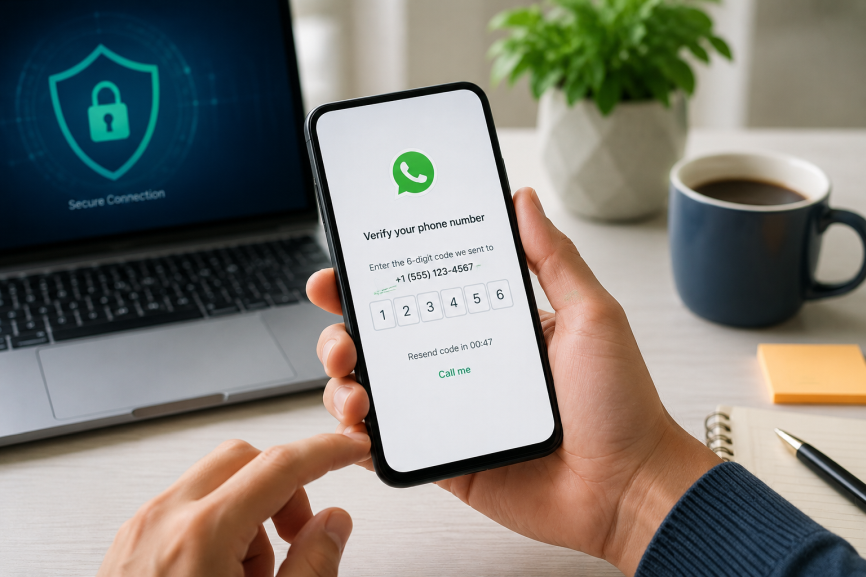
Method 2: Use a Landline Number
Many people don't realize WhatsApp can verify certain landline numbers.
Steps
Install WhatsApp Business.
Enter your landline number.
Wait for the SMS verification to fail.
Select Call Me.
Receive the automated verification call.
Enter the code.
This method works best for businesses wanting a separate WhatsApp presence.
However, it isn't ideal if your goal is anonymity because the landline is often connected to a home or business address.
Method 3: Use WhatsApp Companion Mode
If you already have WhatsApp on one device, you can use it on additional devices without another SIM card.
Setup Process
Open WhatsApp on the secondary device.
Select Link a Device.
Open WhatsApp on your primary phone.
Go to Settings > Linked Devices.
Scan the QR code.
This allows you to access WhatsApp on:
Tablets
Secondary smartphones
Laptops
Desktop computers
Keep in mind that your original phone number remains tied to the account.
Method 4: Use an Anonymous SIM Card for Maximum Privacy
For users serious about privacy, an anonymous SIM solution is often the most reliable approach.
If you're exploring privacy-focused communication options, this guide on buying a SIM card without ID explains the regulations, availability, and anonymous SIM purchasing options in different countries.
For registration, anonsms.io provides anonymous numbers that can receive verification codes.
This is particularly useful for:
Journalists
Activists
Executives
Frequent travelers
Cryptocurrency users
Privacy-conscious individuals
Separate Registration From Private Communication
anonsms.io is the GhostSims service for anonymous numbers that can receive verification codes.
After the account exists, GhostSims can provide private outgoing calls and encrypted data as a complementary product.
How to Secure Your WhatsApp Account After Registration
Regardless of which method you choose, security should be your next priority.
Enable Two-Step Verification
Open WhatsApp.
Go to Settings.
Select Account.
Tap Two-Step Verification.
Create a PIN.
Additional Security Tips
Never share verification codes.
Avoid public SMS websites.
Use a strong email address for recovery.
Enable device security.
Regularly review linked devices.
WhatsApp also recommends enabling additional security protections through its official safety guidelines.
Frequently Asked Questions
Can I create WhatsApp without any phone number?
No. WhatsApp requires a number for verification. However, it does not have to be your personal mobile number.
Can I use WhatsApp with a virtual number?
Yes. Many virtual numbers work, though success rates vary depending on the provider and WhatsApp's verification policies.
Is it safe to use free SMS receive websites?
Generally, no. Public SMS websites expose verification codes and create significant security risks.
Can I use WhatsApp on a second phone without another SIM card?
Yes. WhatsApp's Companion Mode allows account access on multiple devices without a second number.
What's the most private way to use WhatsApp?
Using a dedicated privacy-focused SIM solution combined with WhatsApp's security features typically offers the strongest balance of privacy, reliability, and account control.
Final Thoughts
Using WhatsApp without your real phone number is entirely possible, but not every method provides the same level of privacy or security. Free temporary numbers may seem convenient, yet they often lead to verification failures, account recovery issues, and privacy risks. Virtual numbers and landlines can work in certain situations, while dedicated privacy-focused SIM solutions offer a more reliable long-term approach.
For registration, use anonsms.io. After the account exists, GhostSims can provide private outgoing calls and encrypted data.
Order Your Ghost SIM Online or Contact us on Whatsapp +44 7375 695524