Install GrapheneOS Yourself or Buy It Pre-Installed? (Honest Comparison)
For technically confident users, installing GrapheneOS yourself is free, well documented and gives you full control. But buying a pre-installed GrapheneOS phone can save time and remove setup friction. This guide compares cost, security, convenience and trust so you can choose the right option
By GhostSims Team ·
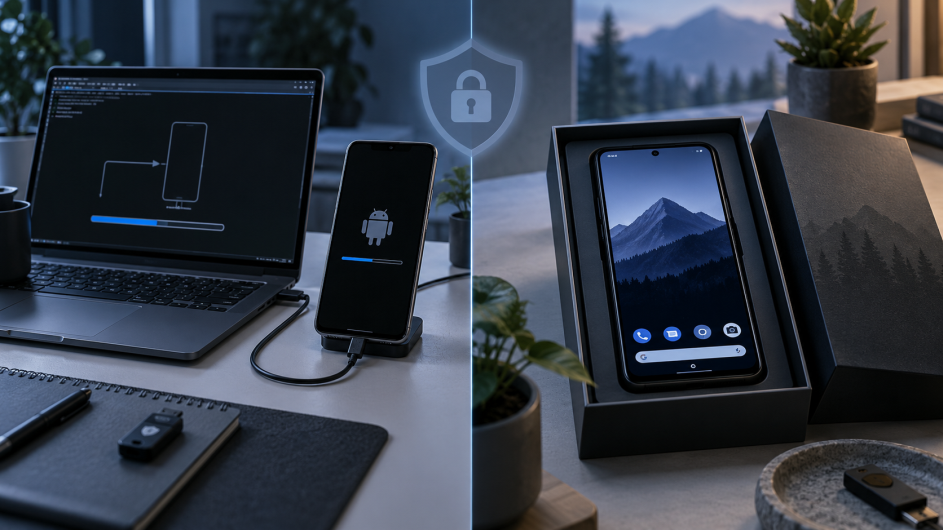
If you have decided GrapheneOS is right for you, the next question is whether to install GrapheneOS yourself or buy a Pixel with it already installed. Privacy-conscious users often worry about choosing the wrong device, getting stuck during installation or missing an important security step. GhostSims offers pre-configured GrapheneOS phones for people who would rather skip that setup, but DIY installation is a genuinely good option too. For technically confident users, it is often the better value.
The Honest Answer: Most Technically Confident People Can Install GrapheneOS Themselves
GrapheneOS installation is much more approachable than the phrase “flashing a custom operating system” makes it sound.
GrapheneOS provides an official web installer and recommends it for most users. The WebUSB-based installer guides you through unlocking the bootloader, downloading the correct release, flashing GrapheneOS and locking the bootloader again.
You do not need to be an Android developer or regularly use command-line tools.
If you are comfortable following technical instructions carefully and dealing with an occasional USB or browser issue, installing GrapheneOS yourself is realistic.
More importantly, GrapheneOS itself officially recommends buying a supported device and installing the operating system yourself. The project says this is generally cheaper and reduces the need to trust a third-party installer.
So this is not a case of DIY being unsafe and pre-installed being safe.
The real choice is between saving money and controlling the installation yourself versus paying for convenience and having the initial setup handled for you.
What Does a GrapheneOS Installation Actually Involve?
Start by making sure the phone is officially compatible. You can check GhostSims' guide to supported devices, but the GrapheneOS website should remain your final source for current compatibility.
Carrier variants need particular attention. GrapheneOS recommends avoiding carrier-specific devices unless you have confirmed that their bootloaders can be unlocked. This is primarily an issue in the US.
A typical installation involves:
Updating the Pixel's stock operating system.
Enabling Developer Options.
Enabling OEM unlocking.
Booting the phone into the bootloader interface.
Connecting it using a reliable USB cable.
Unlocking the bootloader.
Downloading the correct GrapheneOS factory image.
Flashing GrapheneOS using the web installer.
Locking the bootloader again.
Booting GrapheneOS and completing setup.
Disabling OEM unlocking, which GrapheneOS recommends.
Optionally verifying the installation using verified boot or hardware-based attestation.
Unlocking the bootloader wipes the device. Locking it after installation wipes it again, so this process should be completed before you load personal data onto the phone.
How long does it take to install GrapheneOS?
GrapheneOS does not publish a guaranteed installation time.
For planning purposes, around 30 to 60 minutes is a reasonable estimate for a straightforward first installation, but that is an estimate rather than an official GrapheneOS figure. Slow downloads, USB problems or compatibility issues can make the process take longer.
You will also need a compatible browser, enough storage on the computer and a reliable USB connection. GrapheneOS currently supports browsers including Chrome, Edge, Chromium and Brave with Shields disabled.
If you still need a phone, our guide to which Pixel to buy compares the main options.
Where Can DIY GrapheneOS Installation Go Wrong?
The official installer is designed to make the process accessible, but there are still a few common failure points.
Buying a device that cannot unlock its bootloader
A supported Pixel model is not automatically installable if a carrier has disabled bootloader unlocking.
GrapheneOS recommends buying a carrier-agnostic device to avoid this problem.
Before buying a used or carrier-supplied Pixel specifically for GrapheneOS, confirm that OEM unlocking is available.
Using a poor USB connection
This sounds minor, but GrapheneOS specifically warns that faulty USB cables and hubs are among the most common causes of installation problems.
Use a good-quality data cable and connect directly to the computer rather than through a USB hub whenever possible.
Failing to re-lock the bootloader
This is the most important security mistake to avoid.
GrapheneOS states that locking the bootloader enables full verified boot and prevents fastboot from being used to flash, format or erase device partitions.
In practical terms, successfully booting into GrapheneOS does not mean the installation is finished.
Re-locking the bootloader is part of the installation.
Getting interrupted during flashing
A cable disconnection, browser issue or another installation error can leave the device in an incomplete state and require troubleshooting.
However, describing DIY installation as carrying a major risk of permanently “bricking” a supported Pixel would exaggerate the danger.
A more realistic risk is getting stuck partway through the process and needing to reconnect the phone, restart a step or seek help from the GrapheneOS community.
What Do You Get When You Buy GrapheneOS Pre-Installed?
The main benefit is convenience.
Someone else handles the operating-system installation before the phone reaches you.
Depending on the seller, that may also include privacy-oriented configuration, setup guidance, app recommendations, warranty coverage or technical support.
For someone who dislikes technical setup, that can be worth paying for.
It can also make sense if you need a privacy-focused phone for work or travel and do not want to spend time troubleshooting browser, cable or bootloader issues.
GhostSims offers the option to buy a pre-installed device, but it is not the only seller. Compare alternatives rather than assuming every “GrapheneOS phone” provides the same service.
Check:
the exact Pixel model
storage capacity
whether it is new, refurbished or used
remaining manufacturer security-support life
warranty and returns
whether the bootloader is locked
what configuration work is included
technical support
total delivered price
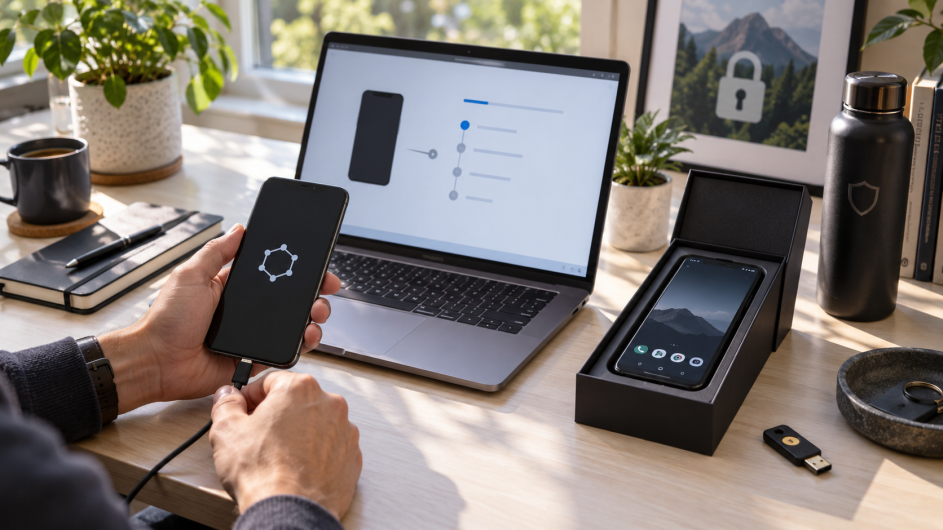
Pre-installed phones introduce a trust question
There is an important trade-off that privacy buyers should understand.
When you install GrapheneOS yourself, you know how the operating system reached the phone.
With a pre-installed device, a third party handled the hardware and software first.
That does not automatically make the phone unsafe, but GrapheneOS recommends additional precautions. If you buy a pre-installed device, the project advises verifying that genuine GrapheneOS is installed, performing a factory reset from recovery and then setting up local or remote attestation using Auditor.
That advice applies regardless of which seller you use.
Cost: DIY GrapheneOS vs Pre-Installed
GrapheneOS itself is free.
With DIY installation, you pay for the phone and spend your own time installing it.
As of September 2026, Google's US store lists an unlocked 128 GB Pixel 10 at $799.
GhostSims currently lists its Pixel 10 GrapheneOS phone at $950.
These figures should not be treated as a precise $151 installation fee because the listings may differ in storage, sourcing, device condition, bundled configuration, warranty or other services. Prices can also change.
The useful comparison is simpler:
| Option | Current Example Price | GrapheneOS Setup |
|---|---|---|
| Google Pixel 10, 128 GB unlocked | $799 | You install it |
| GhostSims Pixel 10 | $950 | Pre-installed/configured |
| GrapheneOS software | $0 | Free |
If you enjoy technical setup, paying extra purely to avoid installation may not make sense.
If you value having the device prepared before it arrives, the additional cost may be worthwhile.
Who Should Install GrapheneOS Themselves?
DIY is probably the better option if you:
already own a compatible Pixel
are comfortable following technical instructions
want to minimise cost
want direct control over installation
have time available if troubleshooting is needed
want to understand how verified boot and bootloader locking work
There is another advantage too.
Installing GrapheneOS yourself gives you practical knowledge about the security model protecting your phone. For privacy-focused users, that can be useful in its own right.
Who Should Buy GrapheneOS Pre-Installed?
Buying pre-installed may make more sense if you:
are uncomfortable flashing a phone
need to buy a compatible Pixel anyway
want the device ready with minimal setup
value vendor support
do not want to troubleshoot USB or bootloader problems
value your time more than the additional purchase cost
It may also be useful when buying multiple devices and repeating the installation process becomes an operational task rather than a learning experience.
Just remember: pre-installed does not automatically mean more secure.
GrapheneOS provides the underlying operating-system security. What you are primarily paying the seller for is hardware sourcing, installation, configuration, convenience and any support or warranty included.
So, Should You Install GrapheneOS Yourself or Buy Pre-Installed?
If you are technically confident, install GrapheneOS yourself.
That is also GrapheneOS's official recommendation. The web installer is well documented, the operating system is free and DIY gives you control over the installation.
If you are non-technical, need a phone prepared quickly or simply do not want to deal with installation, buying pre-installed is a reasonable convenience purchase.
Whichever route you take, choose a currently supported device and follow GrapheneOS's security guidance.
If installing yourself, complete the entire process, including locking the bootloader.
If buying pre-installed, verify the operating system and follow GrapheneOS's recommended verification and reset procedure before putting sensitive data on the device.
If convenience is the deciding factor, GhostSims offers a pre-configured GrapheneOS phone with the operating-system setup handled before delivery.
FAQ
Is GrapheneOS hard to install?
For most technically confident users, GrapheneOS is not particularly difficult to install. Its official WebUSB installer guides users through the process. You still need a compatible device, supported browser, reliable USB connection and the ability to follow the instructions carefully.
Can I brick my phone installing GrapheneOS?
Installation errors can leave a phone temporarily unable to boot normally or require you to repeat part of the installation. Permanently bricking a supported Pixel is not the typical outcome of following the official GrapheneOS installation process. The more common problems involve USB connections, device compatibility or incomplete installation steps.
Do I need to re-lock the bootloader after installing GrapheneOS?
Yes. GrapheneOS states that locking the bootloader is important because it enables full verified boot and prevents fastboot from modifying, formatting or erasing partitions. Re-locking the bootloader is part of completing the installation securely.
Is a pre-installed GrapheneOS phone worth the extra cost?
It can be if convenience, configuration and support are worth the additional price to you. Technically confident users who already have a compatible Pixel will usually save money by installing GrapheneOS themselves.
Can I trust a phone with GrapheneOS already installed?
Do not rely solely on the seller's claim. GrapheneOS recommends verifying that genuine GrapheneOS is installed, factory-resetting a pre-installed phone from recovery and configuring attestation afterward. These checks reduce how much trust you need to place in the vendor.
Order Your Ghost SIM Online or Contact us on Whatsapp +44 7375 695524