Where to Buy a GrapheneOS Phone Pre-Installed (2026)
Compare the best ways to buy a GrapheneOS phone in 2026, from self-installation to pre-installed Pixel devices. Learn what to check before buying, including bootloader status, genuine GrapheneOS installation, warranty coverage, current pricing, and common privacy-phone red flags
By GhostSims Team ·
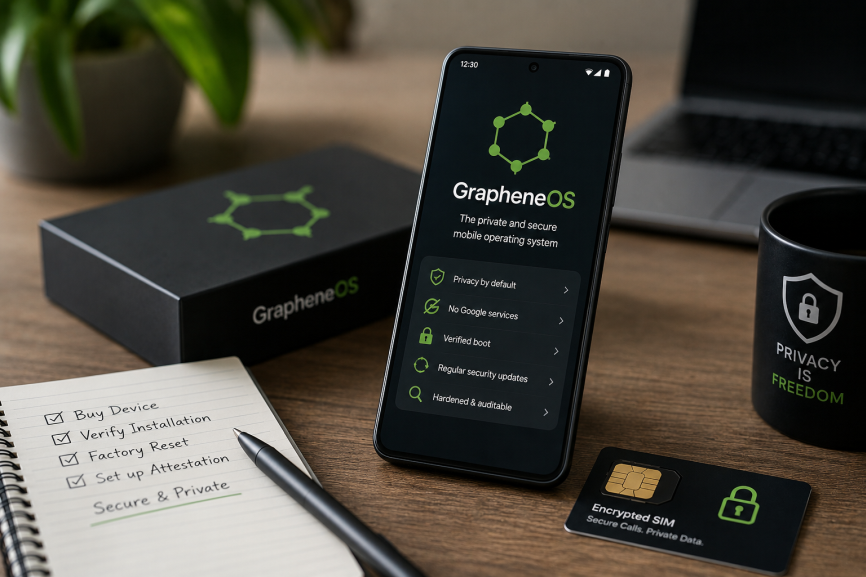
If you want to buy a GrapheneOS phone without dealing with the installation yourself, this guide is for privacy-conscious users, journalists, professionals and anyone who wants a more secure Android setup without making a mistake during configuration. The difficulty is knowing which “GrapheneOS phone for sale” listings are legitimate, whether the bootloader has been re-locked correctly, and whether you are paying for meaningful setup or simply a large reseller markup. GhostSims offers pre-installed Pixel devices for buyers who want a ready-prepared option, but that is not your only choice. You can also buy a compatible new or refurbished Pixel and install GrapheneOS yourself.
Quick answer: Yes, you can buy a Pixel with GrapheneOS already installed. However, the GrapheneOS project does not endorse or affiliate itself with any company selling pre-installed devices. Its official recommendation is to buy a supported device and install GrapheneOS yourself. If you prefer a pre-installed phone, choose a transparent seller and independently verify the device before trusting it with sensitive data.
Can You Buy a Phone With GrapheneOS Already Installed?
Yes. Several independent companies sell Google Pixel phones with GrapheneOS pre-installed.
GrapheneOS permits third parties to sell devices running the operating system as long as they do not present themselves as GrapheneOS or claim an official association with the project. GrapheneOS itself currently recommends self-installation because it is usually cheaper and gives the buyer direct control over the installation process.
That gives you three practical options:
Buy a new supported Pixel and install GrapheneOS yourself.
Buy a refurbished supported Pixel and install it yourself.
Buy a GrapheneOS pre-installed phone from a specialist vendor.
None is automatically right for everyone. Your choice depends on your budget, technical confidence, desired hardware and how much convenience matters.
Before buying anything, check the latest GrapheneOS supported devices. Support life matters because a bargain Pixel approaching end-of-life may be poor value for someone planning to use the device for several years.
Option 1: Buy a Pixel and Install GrapheneOS Yourself
For technically comfortable buyers, self-installation is generally the most transparent and least expensive route.
GrapheneOS provides an official WebUSB installer, which it recommends for most users. You do not need to manually type dozens of terminal commands. The process guides you through unlocking the bootloader, flashing the official release and locking the bootloader again when installation is complete.
That final step matters.
GrapheneOS states that locking the bootloader enables full verified boot. If you finish installation but leave the bootloader unlocked, the installation is incomplete from a security perspective and should not be used for sensitive data until it is properly locked.
Self-installation makes sense if:
you are comfortable following detailed technical instructions;
you want to minimise cost;
you want direct control over the installation process;
you can source a compatible carrier-agnostic Pixel;
you do not need a vendor to handle initial setup.
For a deeper comparison, see whether you should install it yourself or buy a pre-configured device.
Option 2: Buy a Refurbished Pixel and Install GrapheneOS
Buying refurbished can reduce the hardware cost, but the cheapest compatible Pixel is not always the best-value choice.
Remaining software support matters.
GrapheneOS supports specific Google Pixel devices because its security model relies on hardware and firmware capabilities that it can properly support. Newer Pixel generations also provide newer hardware security features and longer remaining support periods. The project currently highlights Pixel 8 through Pixel 10 generations as particularly strong development devices.
When shopping refurbished, check:
the exact Pixel model and storage capacity;
remaining official support life;
battery condition;
whether OEM unlocking is available;
whether the phone is a carrier-specific variant;
seller returns and hardware warranty.
The carrier issue deserves attention. GrapheneOS specifically advises buyers to avoid carrier variants where possible because some have carrier configuration that disables bootloader unlocking. A phone can therefore be “network unlocked” yet still be unsuitable for installing GrapheneOS.
For buyers considering an older bargain model, compare the saving against how long you expect to keep the phone.
Option 3: Buy a GrapheneOS Phone Pre-Installed
A GrapheneOS pre-installed phone is primarily a convenience purchase.
You are paying someone else to source compatible hardware, perform the installation and deliver a device that is ready for the user to verify and configure.
GhostSims is one option. Nitrokey is another established vendor selling Pixel-based NitroPhone devices with GrapheneOS. Nitrokey currently lists the NitroPhone 10a at €649, NitroPhone 10 at €829 and NitroPhone 10 Pro at €989.
The important point is not which logo appears on the box. It is whether the seller is transparent about what you are receiving.
A good buying guide should never pretend that purchasing pre-installed is inherently more secure than installing GrapheneOS yourself. For many technically capable users, it is simply more convenient.
What Are You Actually Paying for With a Pre-Installed Phone?
GrapheneOS itself is free and open source. The price premium on a pre-installed device therefore comes from the hardware, installation work, preparation and any support supplied by the vendor.
Depending on the seller, that may include:
sourcing compatible Pixel hardware;
checking that OEM unlocking is available;
installing the official GrapheneOS release;
re-locking the bootloader correctly;
initial device preparation;
customer support;
a seller-provided hardware warranty.
Be cautious when a seller claims that a long list of proprietary modifications makes its version of GrapheneOS uniquely secure. Buyers should know whether they are receiving an official GrapheneOS release or a modified operating system.
There is also an important security step after delivery.
GrapheneOS recommends that people buying a device pre-installed by a third party verify the GrapheneOS verified boot key hash, then perform a factory reset from recovery before using the device. After the reset, it recommends setting up local or remote attestation through its Auditor functionality.
In other words, “pre-installed” should not mean “trust the seller blindly.”
What to Check Before Buying From Any Vendor
1. Is the Bootloader Locked?
Ask explicitly.
A correctly installed GrapheneOS device should have its bootloader re-locked after installation. Locking enables full verified boot and prevents fastboot from being used to alter partitions while the device remains locked.
If a seller tells you that leaving the bootloader permanently unlocked is necessary, that is a serious red flag.
2. Is It Genuine GrapheneOS?
Ask whether the phone runs an official GrapheneOS release or a vendor-modified derivative.
On supported Pixel generations, the GrapheneOS installation can be independently checked using verified boot and hardware-based attestation. Pixel 6-generation devices and newer display the full verified boot key hash for comparison with the hashes published by GrapheneOS.
3. What Software Has the Seller Added?
Extra software is not automatically an advantage.
Ask what applications or configuration changes have been added and whether they can be removed. A privacy phone should not depend on vague claims about secret software that the buyer cannot inspect or understand.
4. What Warranty Are You Actually Getting?
Warranty coverage needs to be checked with the seller rather than assumed.
Google states that some devices with unauthorised third-party modifications are not eligible for its warranty services, while warranty and repair options also vary according to the device, purchasing channel and country or region.
Before buying, ask:
who provides the warranty;
how long it lasts;
whether the hardware is covered;
where repairs are handled;
what happens if the phone arrives faulty.
GhostSims GrapheneOS Phones and Current Prices
GhostSims' encrypted-phone page currently lists these GrapheneOS pre-installed options:
| Model | Listed Price |
|---|---|
| Pixel 8 | $550 |
| Pixel 10a | $900 |
| Pixel 10 | $950 |
| Pixel 10 Pro Fold | $1,500 |
All models are supplied running GrapheneOS.
Pairing GrapheneOS With a Privacy-Focused SIM
GrapheneOS improves security and privacy at the operating-system level, but installing it does not make cellular activity invisible.
Your mobile network still needs information required to connect and deliver cellular service. Your SIM, carrier, applications, accounts and browsing behaviour therefore remain separate parts of your overall privacy setup.
Users who want both a privacy-focused handset and cellular service can consider GhostSims' phone and SIM bundle.
The important thing is to understand what each layer does rather than assuming one product creates complete anonymity.
GrapheneOS can substantially strengthen the phone itself. It does not make every call, account, mobile-network interaction or online action anonymous by default.
Red Flags When Buying a “Privacy Phone”
Walk away or investigate further if a seller:
supplies GrapheneOS with the bootloader left unlocked;
will not disclose the exact phone model;
cannot explain whether the OS is an official GrapheneOS release;
claims the phone is “unhackable”;
guarantees complete anonymity;
sells an ageing device without discussing remaining support;
adds unexplained proprietary security software;
provides no clear returns or warranty information;
claims to be officially endorsed by GrapheneOS.
GrapheneOS explicitly states that it currently does not endorse or affiliate itself with companies selling pre-installed devices.
Frequently Asked Questions
Can you buy a phone with GrapheneOS pre-installed?
Yes. Independent vendors sell compatible Pixel phones with GrapheneOS already installed. GrapheneOS permits this but does not currently endorse any seller. Its official recommendation is still to buy a supported device and install GrapheneOS yourself.
Is it safe to buy a pre-installed GrapheneOS phone?
It can be, but you should verify it rather than relying solely on the seller. GrapheneOS recommends checking that the installation is genuine, factory-resetting the device from recovery and then setting up attestation before trusting it with sensitive data.
How much does a GrapheneOS phone cost?
Prices depend heavily on the Pixel generation and seller. At the time of checking, GhostSims listed models from $550, while Nitrokey listed the NitroPhone 10a from €649. Buying a compatible Pixel and installing GrapheneOS yourself may cost less because GrapheneOS itself is free.
Which phone is best for GrapheneOS in 2026?
There is no single best model for everyone. Generally, a newer supported Pixel provides a longer remaining support window and newer hardware security capabilities. GrapheneOS currently identifies Pixel 8 through Pixel 10 generations as its strongest development-device range.
Does buying GrapheneOS pre-installed void the warranty?
There is no safe universal yes-or-no answer. Coverage depends on the seller, country, device and applicable warranty terms. Google notes that unauthorised third-party modifications can affect warranty eligibility, so confirm warranty coverage before purchasing.
Is GrapheneOS hackable?
GrapheneOS should not be described as “unhackable.” No modern smartphone operating system can credibly guarantee that. GrapheneOS adds substantial security hardening and exploit mitigations, but risk still depends on software updates, applications, accounts, user behaviour and the capabilities of an attacker.
Should You Buy Pre-Installed or Install It Yourself?
If you are comfortable following technical instructions, buying a compatible Pixel and using GrapheneOS' official web installer is usually the cheapest and most transparent choice. It is also the route GrapheneOS itself recommends.
If you want the convenience of having the sourcing and installation handled for you, a reputable pre-installed seller can still be a reasonable option. Focus on the exact hardware, official GrapheneOS installation, locked bootloader, warranty and seller transparency rather than marketing claims about being “untraceable” or “unhackable.”
For buyers who prefer a ready-prepared device, GhostSims offers a GrapheneOS phone pre-installed. If you also need cellular service, compare the phone and SIM bundle.
Whichever route you choose, verify the device before trusting it. With a privacy-focused phone, knowing what was installed and confirming that the security chain is intact matters more than the name printed on the invoice.
Order Your Ghost SIM Online or Contact us on Whatsapp +44 7375 695524