Encrypted Phone + Anonymous SIM: The Complete Mobile Privacy Setup Guide (2026)
Learn how to build a stronger mobile privacy setup in 2026 by combining a GrapheneOS encrypted phone with an anonymous SIM. This guide explains how device security, no-KYC mobile service, encrypted apps, and privacy tools work together to reduce tracking and identity exposure
By GhostSims Team ·
If you are a journalist, executive, privacy-conscious traveller, researcher, activist, or simply someone who wants to reduce the amount of personal information exposed through a smartphone, protecting only the handset is not enough. A hardened operating system can improve device security and reduce app-level tracking, but your SIM still connects through cellular infrastructure. A privacy-focused SIM can reduce the personal information attached to your mobile service, but it cannot secure a badly configured phone. GhostSims brings these two layers together with GrapheneOS-based phones and privacy-focused mobile service, creating a stronger foundation for mobile privacy.
The key idea is simple: mobile privacy is a stack, not a single product.
GrapheneOS can strengthen operating-system security, isolate applications and improve permission controls. But it cannot make a connected handset invisible to the mobile network providing service.
For a stronger private phone setup in 2026, you need to protect both the device layer and the SIM/network layer.
Why You Need Both an Encrypted Phone and a Private SIM
Mobile privacy has two major layers.
The phone layer covers:
Operating system security
App permissions
Local device data
Browser tracking
Camera and microphone access
Location permissions
Wi-Fi and Bluetooth behaviour
Malware and software exploitation
The SIM and carrier layer covers:
Mobile subscriber credentials
Carrier account information
Cellular authentication
Cell-tower connections
Call and SMS metadata
Roaming networks
Telecom signalling systems
Protecting one does not automatically protect the other.
Installing GrapheneOS does not prevent the serving mobile network from knowing that a device is connected. Likewise, using a privacy-focused SIM does not stop an invasive app from collecting information you voluntarily give it.
A stronger question is therefore not, “Which privacy product should I buy?”
It is: Which parts of my mobile footprint am I trying to reduce?
A complete privacy setup covers multiple layers instead of relying on one tool to solve everything.
The Phone Layer: What GrapheneOS Does
GrapheneOS is a privacy- and security-focused mobile operating system based on Android.
Its purpose is to reduce attack surface, strengthen exploit protection and improve application isolation.
People often describe GrapheneOS as “de-Googled Android”, but that is only partly accurate. Google Play services are not integrated into the operating system by default. If users need apps that depend on Google Play, they can optionally install Google's official components using GrapheneOS's sandboxed compatibility layer.
Unlike on conventional Google-certified Android phones, those components do not receive privileged operating-system access.
Key GrapheneOS privacy and security features
GrapheneOS provides protections such as:
Enhanced app sandboxing
Strong exploit mitigations
Hardened memory allocation
Multiple user profiles
Granular app permissions
Hardened Vanadium browser and WebView
Wi-Fi privacy improvements
Optional sandboxed Google Play
USB attack-surface controls
Cellular network-mode restrictions
One of its most useful privacy features is profile separation.
For example, you could keep banking and identity-linked applications in one profile while using a separate profile for private communications. Apps in different profiles are strongly isolated from one another.
That can be more valuable than installing dozens of questionable “privacy apps”.
Does GrapheneOS make a phone anonymous?
No.
GrapheneOS can significantly improve device privacy and security, but it cannot eliminate every way a person can be identified.
If you sign into your normal social accounts, email, banking apps and other identity-linked services, those services can still associate activity with you.
Websites can still use cookies or fingerprinting, and an active mobile connection still communicates with carrier infrastructure.
GrapheneOS is best understood as a hardened device layer, not an invisibility switch.
Which Phones Support GrapheneOS?
Official GrapheneOS production support focuses on selected Google Pixel devices because the project relies on specific hardware security features and long-term firmware support.
Before buying a handset, check GhostSims' current list of GrapheneOS supported devices.
Newer supported Pixels are generally preferable because they provide longer remaining security support.
Be especially careful with carrier-sold variants. Some models can have bootloader unlocking disabled, which prevents GrapheneOS installation.
For a private phone setup in 2026, remaining security support matters more than simply finding the cheapest refurbished handset.
Why a GrapheneOS Phone Alone Is Not Enough
This is where many privacy setups stop too early.
You install GrapheneOS, remove unnecessary apps, restrict permissions and use encrypted messaging.
Then you insert the same conventional SIM registered to your identity that you have used for years.
The phone layer has changed. The mobile subscription has not.
Carrier registration can expose identity
Depending on the country and provider, conventional SIM registration may involve:
Passport or national ID details
Payment information
Subscriber account information
Address details
In some markets, biometric verification
A privacy-focused or no-KYC eSIM can reduce the amount of personal information collected during the purchase and registration process.
But there is an important distinction:
No KYC does not mean no network visibility.
The mobile network still needs to authenticate the subscription and communicate with the device to provide service.
IMSI Catchers Are a Separate Cellular Threat
An IMSI catcher is equipment designed to imitate or interact with cellular network infrastructure so that nearby devices connect or reveal mobile identifiers.
This happens below the application layer.
GrapheneOS includes useful cellular hardening options, such as disabling older network modes and reducing exposure to unnecessary modem protocols.
These measures can reduce attack surface, but they do not make a phone immune to cellular surveillance.
Our detailed guide to IMSI catchers explains how these systems work and where the practical limits of protection lie.
GrapheneOS Does Not Eliminate SS7 or Diameter Risk
SS7 and Diameter are telecom signalling technologies used inside carrier networks.
Attacks involving these systems happen at a different layer from Android security.
Changing your operating system cannot patch vulnerabilities or misconfigurations inside a carrier's infrastructure.
That is why device security and telecom-network privacy should be treated separately.
Read our guide to SS7 attacks for a deeper explanation.
How a GhostSims Private SIM Completes the Setup
Combining GrapheneOS with GhostSims is not about pretending that cellular infrastructure disappears.
It is about reducing unnecessary exposure across more layers of the mobile setup.
GhostSims offers privacy-focused SIM services designed around reduced personal registration, international connectivity and privacy-oriented payment options.
Reduced subscriber-registration exposure
With a conventional carrier account, personal registration information may directly connect the subscriber to the service.
A no-KYC approach removes that particular identity link at the signup stage.
That does not make a connected phone impossible to locate or correlate. It simply reduces the amount of subscriber information collected during registration.
Privacy-oriented payment options
GhostSims also supports cryptocurrency payment options.
Crypto should not automatically be treated as untraceable. A transaction funded through an identity-verified exchange, for example, may still be linked back to an account holder.
For a deeper look at payment privacy, see GhostSims' guide to buying an anonymous eSIM with crypto.
International connectivity
GhostSims is designed for international use, making it relevant for travellers and people who regularly move between networks.
This can also reduce the need to repeatedly buy and register local SIM cards when moving between countries.
A private SIM and a VPN do different jobs
A VPN changes how internet traffic is routed between your device and the VPN server.
It does not replace your SIM or remove the underlying cellular connection.
If you are deciding how these tools fit together, read our eSIM vs VPN comparison.
Step-by-Step: Build a Complete Privacy Setup
The right configuration depends on your threat model, but the following is a strong general starting point.
Step 1: Choose a Supported Pixel
Start with a phone that currently receives full GrapheneOS support.
Newer Pixel generations generally provide longer remaining security support, so avoid buying an outdated device simply because it is cheaper.
Also make sure the bootloader can be unlocked before purchasing.
Step 2: Install and Update GrapheneOS
If you are setting up the phone yourself, use the official GrapheneOS installation method rather than unofficial ROM files.
After installation:
Install all available updates
Use a strong PIN or passphrase
Review USB security controls
Disable radios you do not need
Review location settings
Restrict unnecessary Wi-Fi and Bluetooth scanning
Consider separate user profiles for different activities
Installing GrapheneOS is only the first step. The privacy benefit depends heavily on how the phone is configured.
Step 3: Decide Whether You Need Google Play
Some banking, transport and work apps depend on Google Play.
GrapheneOS allows you to install official Google Play components as sandboxed applications rather than privileged system services.
If you need them, consider keeping them in a dedicated user profile containing only the apps that require Google Play.
If you do not need them, there is no reason to install them by default.
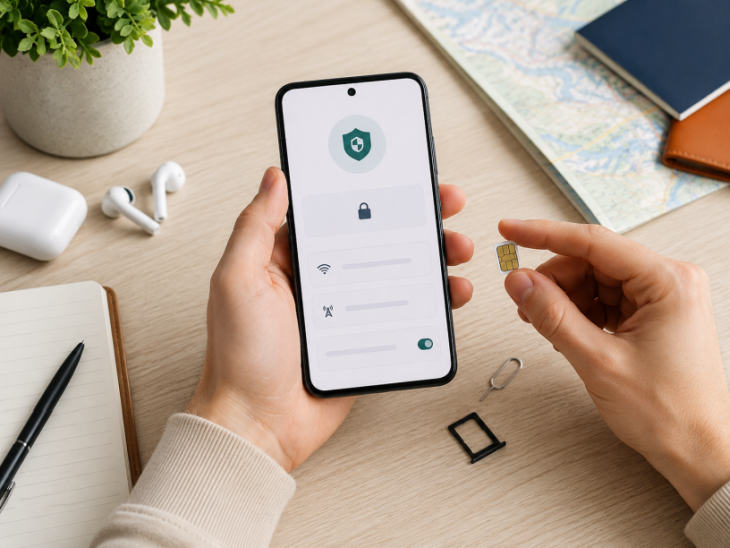
Step 4: Add the GhostSims SIM or eSIM
A compatible physical SIM can be inserted normally.
GrapheneOS also supports eSIM management. Users can enable it under:
Settings → Network & internet → eSIM support
GrapheneOS does not require Google Play for eSIM management.
This confirmation should remain in the editorial draft until verified.
Step 5: Separate Identity-Linked Accounts
This is one of the most overlooked privacy steps.
If you immediately sign into every account connected to your real identity, you recreate many of the links you were trying to reduce.
Consider separating:
Personal communications
Private communications
Work applications
Financial services
Social accounts
General browsing
Travel applications
GrapheneOS profiles can help create technical separation, but good operational habits are still essential.
Step 6: Review App Permissions
Do not automatically approve every permission request.
Pay particular attention to:
Location
Contacts
Microphone
Camera
Nearby devices
Files
Notifications
Network access
A privacy-focused operating system becomes far less useful if every installed app receives unnecessary access.
Step 7: Use End-to-End Encryption for Sensitive Communications
Traditional mobile calls and SMS should not be treated as equivalent to purpose-built end-to-end encrypted communication.
For conversations where confidentiality matters, use a reputable encrypted communications app.
Recommended Apps for a Complete Privacy Setup
A strong privacy stack does not require every tool to come from the same company.
Different applications solve different problems.
Signal for encrypted calls and messaging
Signal provides end-to-end encrypted messages and calls and includes features designed to reduce the amount of communication metadata exposed to its own service.
It also offers usernames and phone-number privacy options, allowing users to communicate without automatically revealing their number to everyone they contact.
Encryption still cannot prevent another participant from saving, forwarding or screenshotting a conversation.
Tor Browser for privacy-focused browsing
Tor Browser routes browsing traffic through the Tor network, making direct correlation between your IP address and destination websites more difficult.
It is useful when browsing privacy matters more than maximum speed.
However, logging into an identity-linked account can still identify you to that service.
Proton Mail for privacy-focused email
Proton Mail provides end-to-end encryption between Proton users and zero-access encryption for stored mailbox data.
Emails sent to outside providers are not automatically end-to-end encrypted unless additional encryption options such as PGP or password-protected messages are used.
That distinction matters because “encrypted email” does not mean every message receives identical protection.
What This Complete Privacy Setup Can and Cannot Do
A realistic threat model is more useful than exaggerated claims.
Layer
What It Improves
What It Cannot Guarantee
GrapheneOS
OS hardening, sandboxing, permission control
Protection from every exploit
User profiles
Separation between groups of apps
Privacy if identities are reused
Private SIM
Reduced registration-linked identity exposure
Invisibility to mobile networks
Signal
End-to-end encrypted message content
Security of another person's device
Tor/VPN
Reduced IP-level exposure
Cellular anonymity
Operational security
Reduced accidental identity linking
Privacy if you reveal identifying information
This is why phrases such as “100% untraceable phone” or “complete anonymity” should be treated cautiously.
No operating system, SIM, VPN or messaging app can guarantee those outcomes in every situation.
A credible privacy setup works by reducing unnecessary exposure one layer at a time.
Phone + SIM Privacy Bundle: The Easier Way to Start
You can build this setup yourself.
Buy a compatible Pixel, verify its bootloader, install GrapheneOS, configure the phone, choose a private SIM, activate the service and install secure communications tools.
For technically experienced users, that may be ideal.
For someone who already knows they want both the device and SIM layers, the GhostSims Phone + SIM Privacy Bundle offers a simpler route.
The bundle combines a GrapheneOS-based privacy phone with GhostSims mobile service, removing much of the work involved in sourcing and configuring each part separately.
The value of the bundle is not a promise of invisibility.
It is a more convenient way to create a stronger privacy baseline by addressing both the software running the handset and the mobile subscription connecting it to the network.
FAQ: Encrypted Phones and Anonymous SIMs
Do I need both an encrypted phone and a private SIM?
If your goal is to improve privacy at both the handset and mobile-subscription layers, using both makes sense.
GrapheneOS strengthens the device. A privacy-focused SIM reduces the personal information attached to obtaining the mobile service.
Neither replaces the other.
Does GrapheneOS work with a GhostSims eSIM?
GrapheneOS supports adding and managing eSIMs on compatible devices through Settings → Network & internet → eSIM support.
What apps should I use on a privacy phone?
Signal is a strong option for encrypted communication, Tor Browser can improve browsing privacy, and Proton Mail provides useful privacy-focused email features.
A small number of reputable tools with carefully managed permissions is usually better than installing dozens of “security” applications.
Is a de-Googled phone completely free from Google?
Not necessarily.
GrapheneOS does not include Google Play as privileged system software, but users can optionally install Google's official components as sandboxed apps if they need them.
Whether the device communicates with Google therefore depends partly on the services and apps you choose to use.
Can a GrapheneOS phone still be located through cellular networks?
Yes. An active cellular device must communicate with mobile infrastructure to receive service.
GrapheneOS can reduce attack surface and improve handset security, but it does not make a connected device invisible to the serving network.
Does a VPN replace an anonymous SIM?
No.
A VPN changes how internet traffic is routed after connectivity has been established.
It does not replace the SIM or remove the underlying cellular connection.
Is the Phone + SIM Privacy Bundle worth it?
It is most relevant if you already intend to use both a privacy-focused handset and a private SIM.
Technically experienced users may prefer to configure everything themselves. Buyers who want a prepared starting point are the clearer audience for the bundle.
Build Your Mobile Privacy Stack From Both Ends
The biggest mistake in mobile privacy is protecting only one layer.
Removing Google services does not erase the mobile network. Changing SIM providers does not fix dangerous app permissions. A VPN does not replace encrypted messaging. Tor does not stop you identifying yourself by logging into personal accounts.
A stronger setup works because each component has a different job.
GrapheneOS hardens the handset. A privacy-focused SIM reduces registration-related identity exposure. Secure communications apps protect message content. Tor or a VPN addresses IP-level exposure. Careful account separation connects the pieces.
If you want to implement both the phone and SIM layers without assembling the setup separately, explore the Phone + SIM Privacy Bundle.
Already have a compatible GrapheneOS device? Start with the GhostSims encrypted SIM card and add the network-privacy layer to your existing setup.
Order Your Ghost SIM Online or Contact us on Whatsapp +44 7375 695524